
Features

Everything Dibsly can do

The ideas Dibsly stands on, and every feature in short: with an example and where to find it in the app.

How Dibsly thinks about money

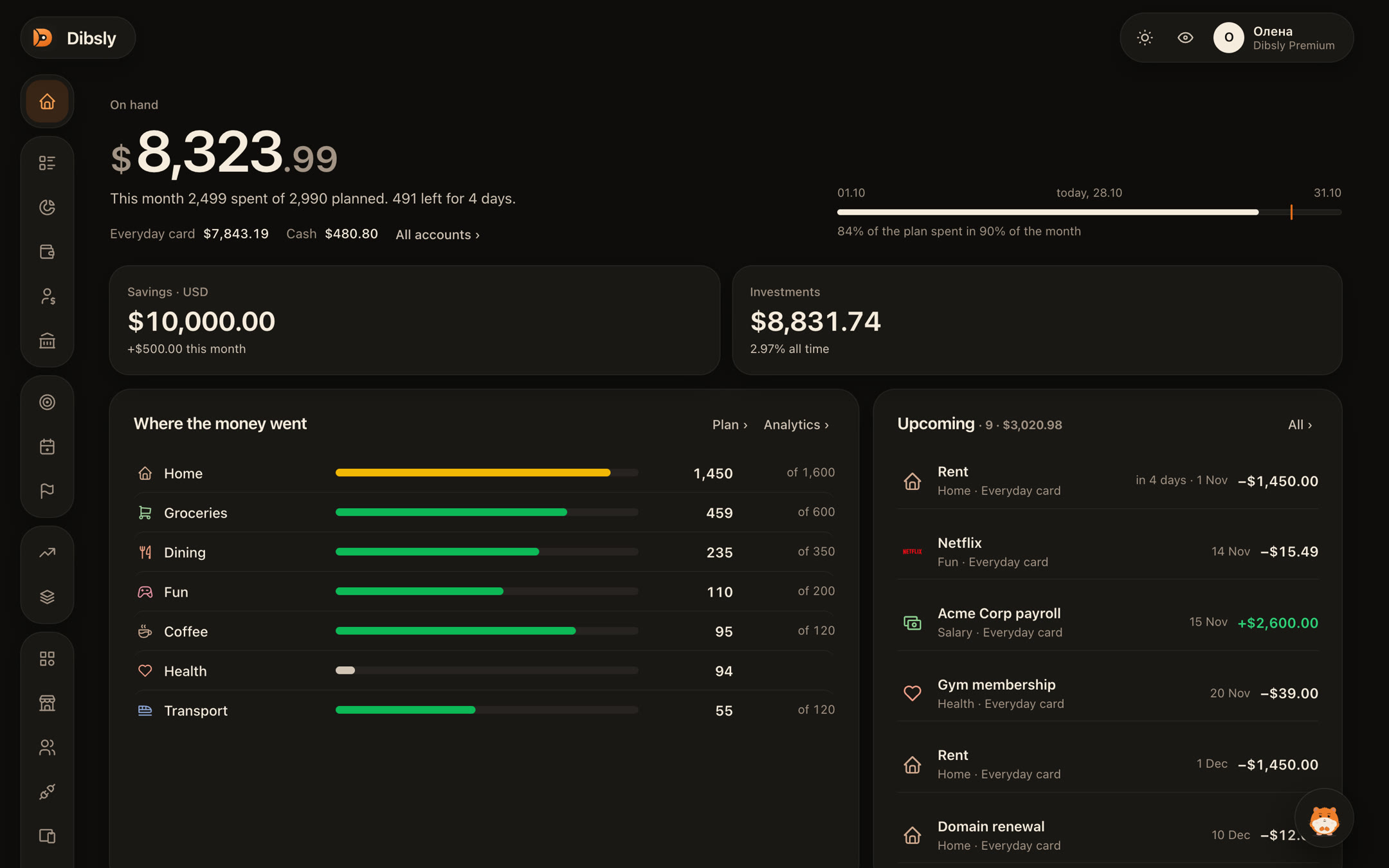
Dibsly's main rule: don't mix the money you live on every day with what you put aside or invest. The everyday balance shows how your money moves, while savings and investments sit apart: that's not money you need to keep poking at. Everything else grows from this rule.

Why three pockets

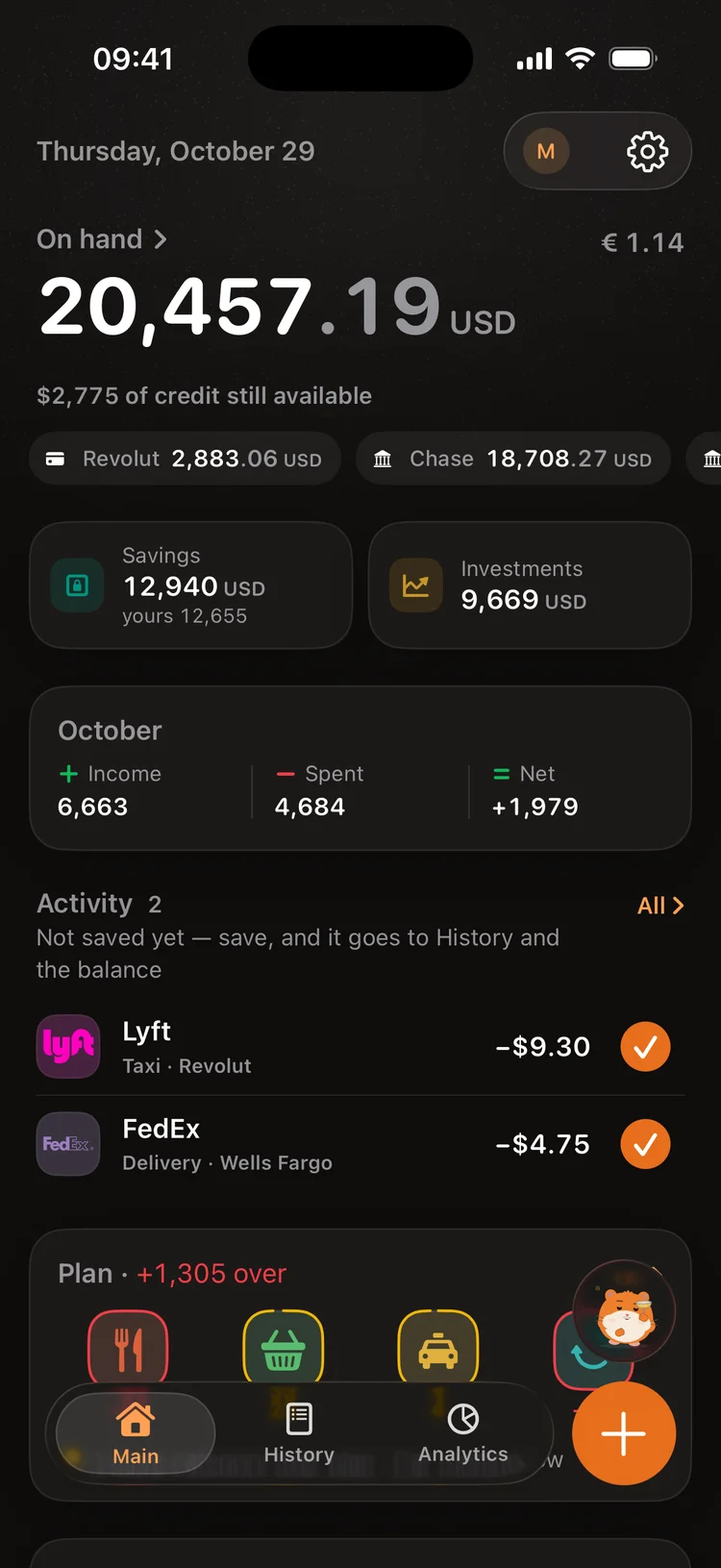
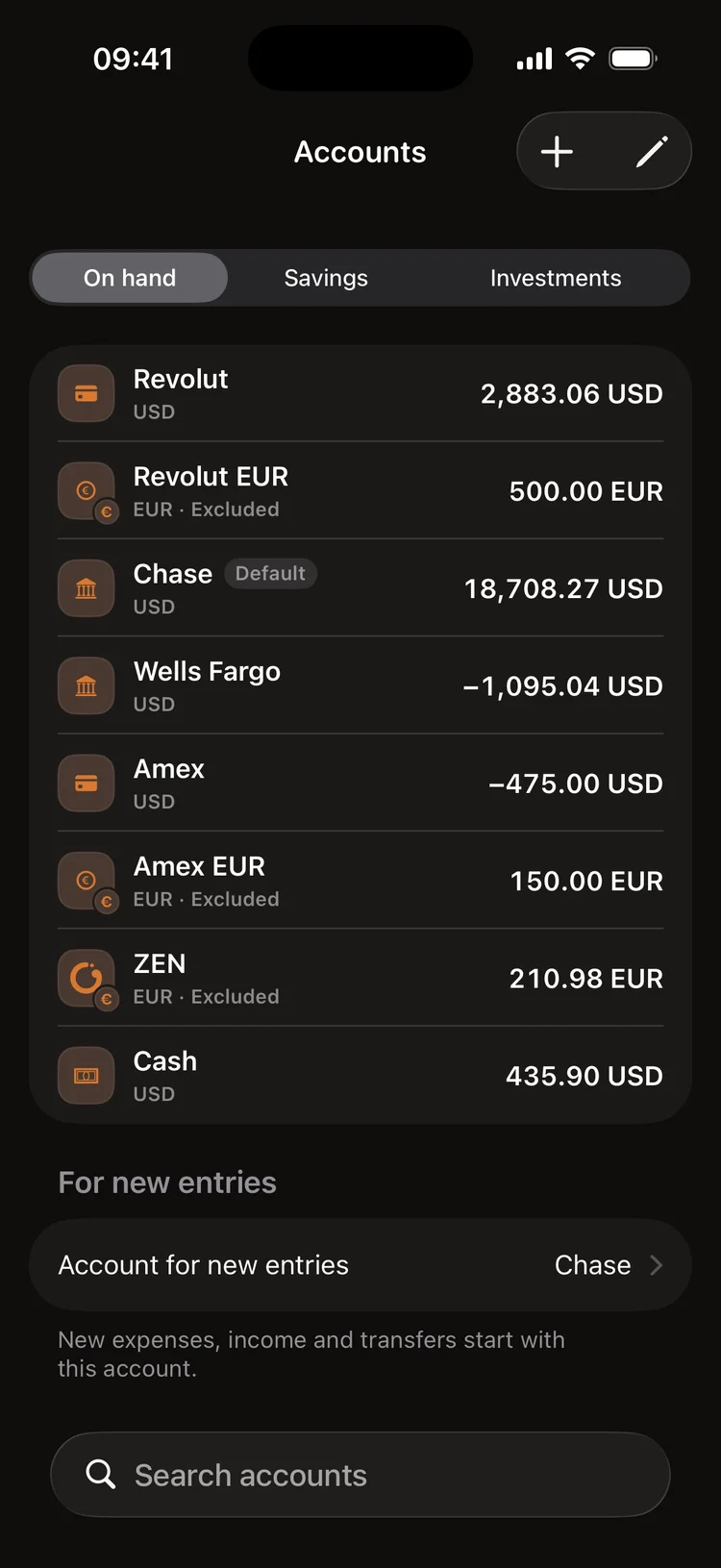
Every account sits in one pocket. On hand: cards and cash for every day. Savings: what you put aside. Investments: broker accounts. The big number on Main and the month's income and spending count only On hand. So the ₴50,000 you put aside doesn't wink at you on a Friday night, and the month shows how you really live.

Where: Settings → Accounts → an account
More

Why three pockets

What counts as income and spending

Income and spending are money that came in from outside or went out. Salary, a gift, coffee, rent. A transfer between your own accounts or a currency exchange changes nothing: the money moved from one pocket to another, and Dibsly spots such transfers in statements by itself. A transfer to Savings isn't spending either: you didn't spend that money, you put it aside. Buying and selling shares live in Investments, where dividends count as income and the tax and the broker's fee as spending.

On hand₴18,400
Month's income₴0
Month's spending₴0
Savings₴50,000

Tap the operations and watch the numbers

An everyday account outside the big number

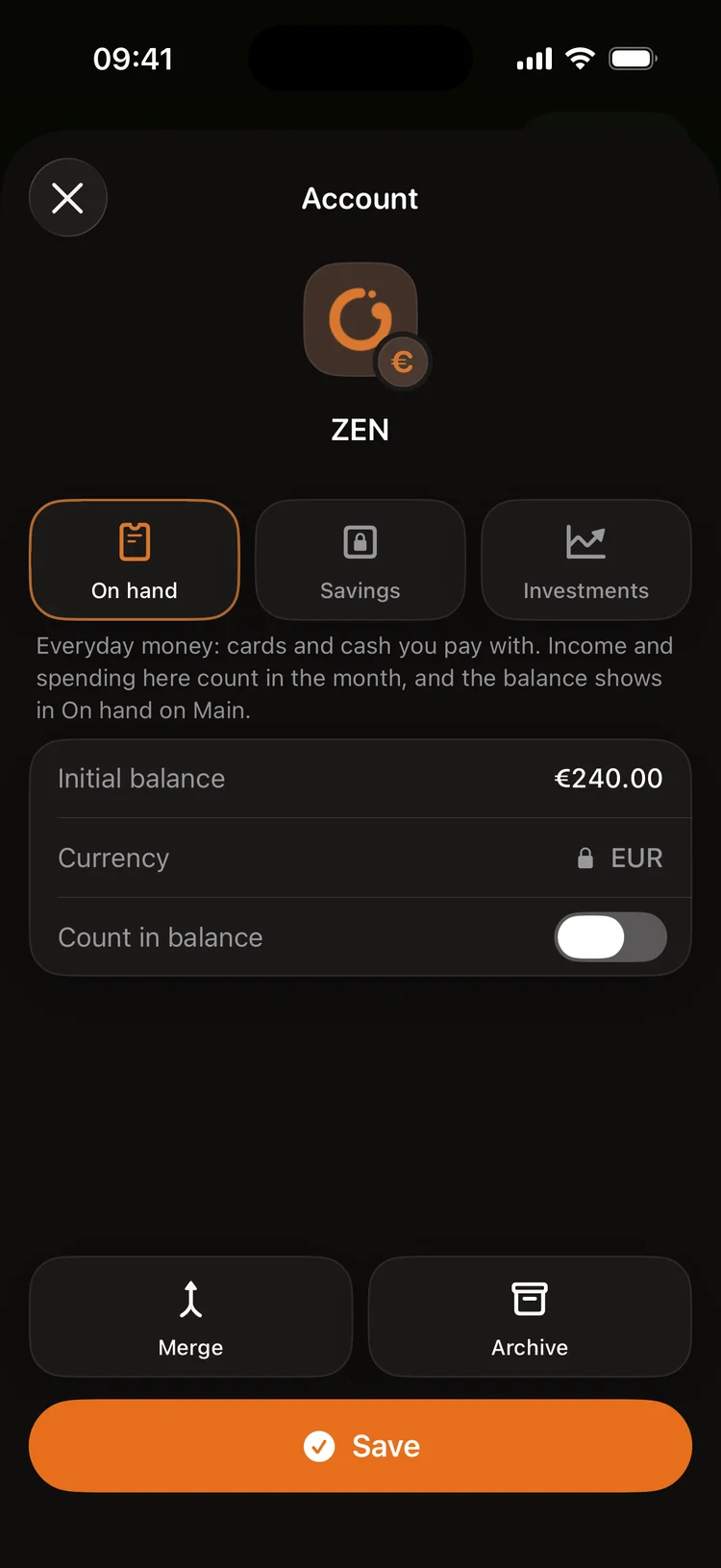
Some accounts you use but don't want in the total: a sole-trader account clients pay into, or a dollar account. Keep it in On hand and switch off “Count in balance”. Its balance leaves the big number, while money arriving on it is still the month's income. Moving it to your card or selling the currency won't count as income a second time: it's the same money.

Where: Settings → Accounts → an account → “Count in balance”
On hand₴18,400
Month's income₴65,000
An everyday account outside the big number

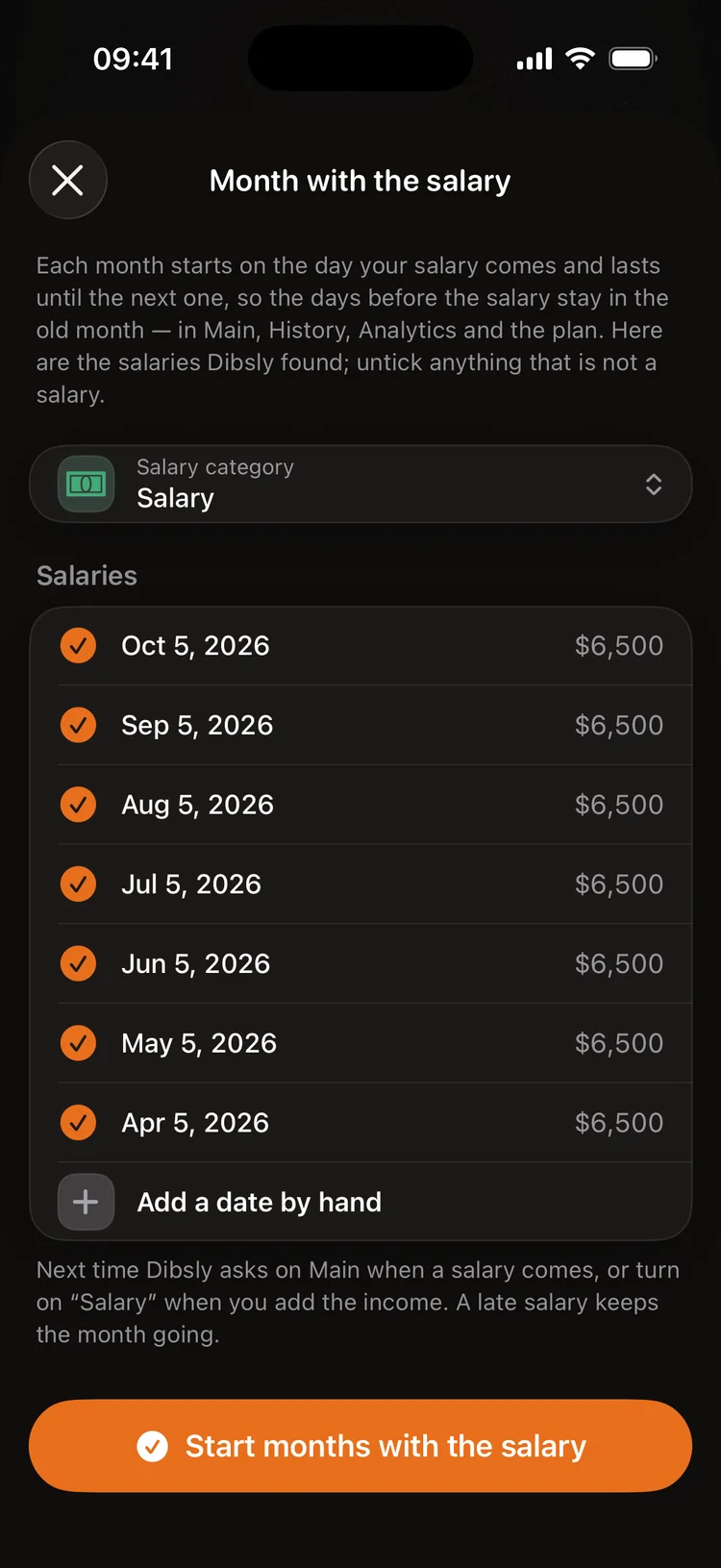
A month from payday to payday

If your salary comes on a different day each time, a month from the 1st gets it wrong: part of the spending before payday lands in the wrong month. Choose “With the salary” and a month runs from one salary to the next. Salary late? The month just goes on until it comes. Main, History, Analytics and the plan all count the same way.

Where: Settings → Preferences → “Month starts on”

A month from payday to payday

A plan from what came in

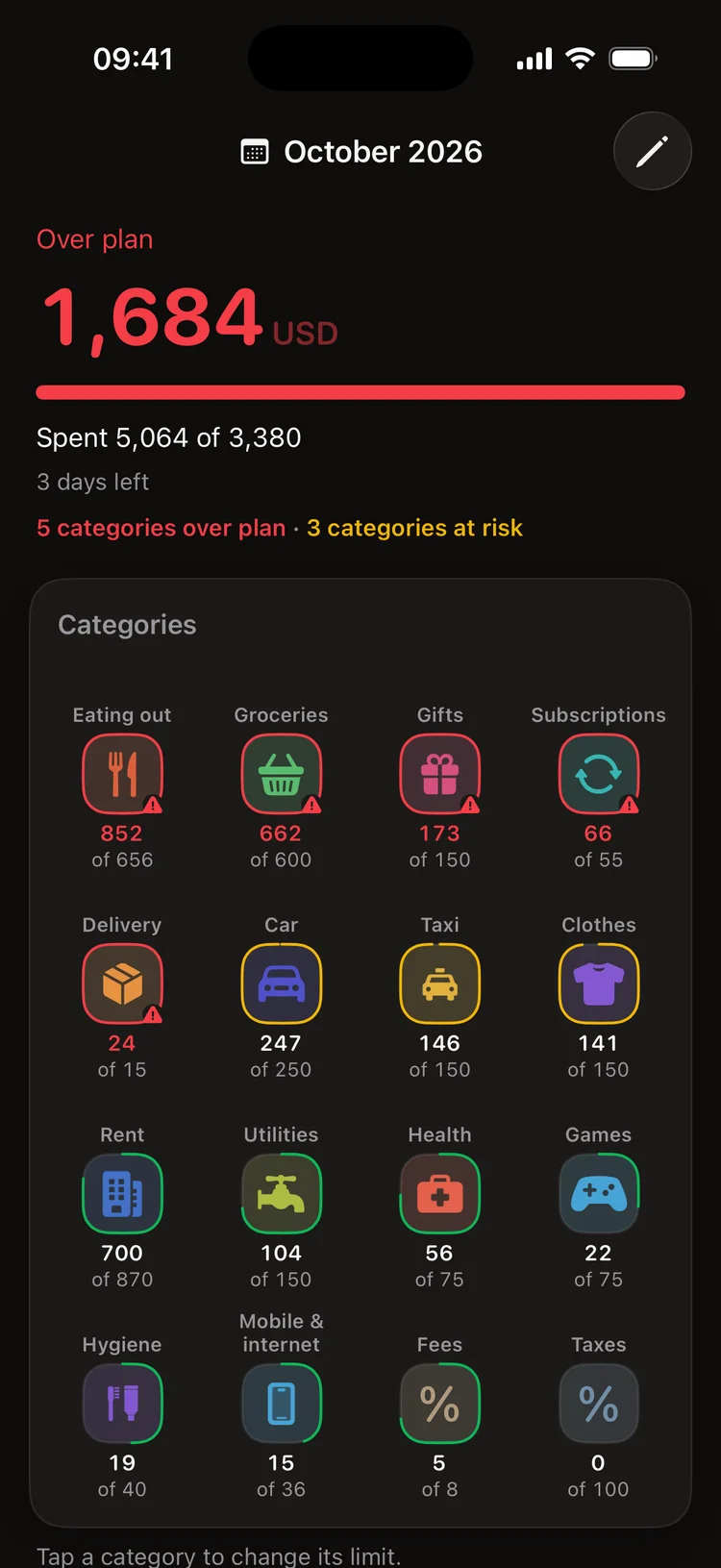
A plan starts with “Monthly funds”: the money you have for this month, what's on hand and the salary that came. From it you set aside the savings and investment plan and spread the rest as limits across categories. So you see how much you can still spend this month, not only how much has gone. Planning is switched on here: Settings → Features (in Dibsly 1.0.1, Settings → Preferences → Features).

Where: Main → Plan

More

Why drafts and not all by itself

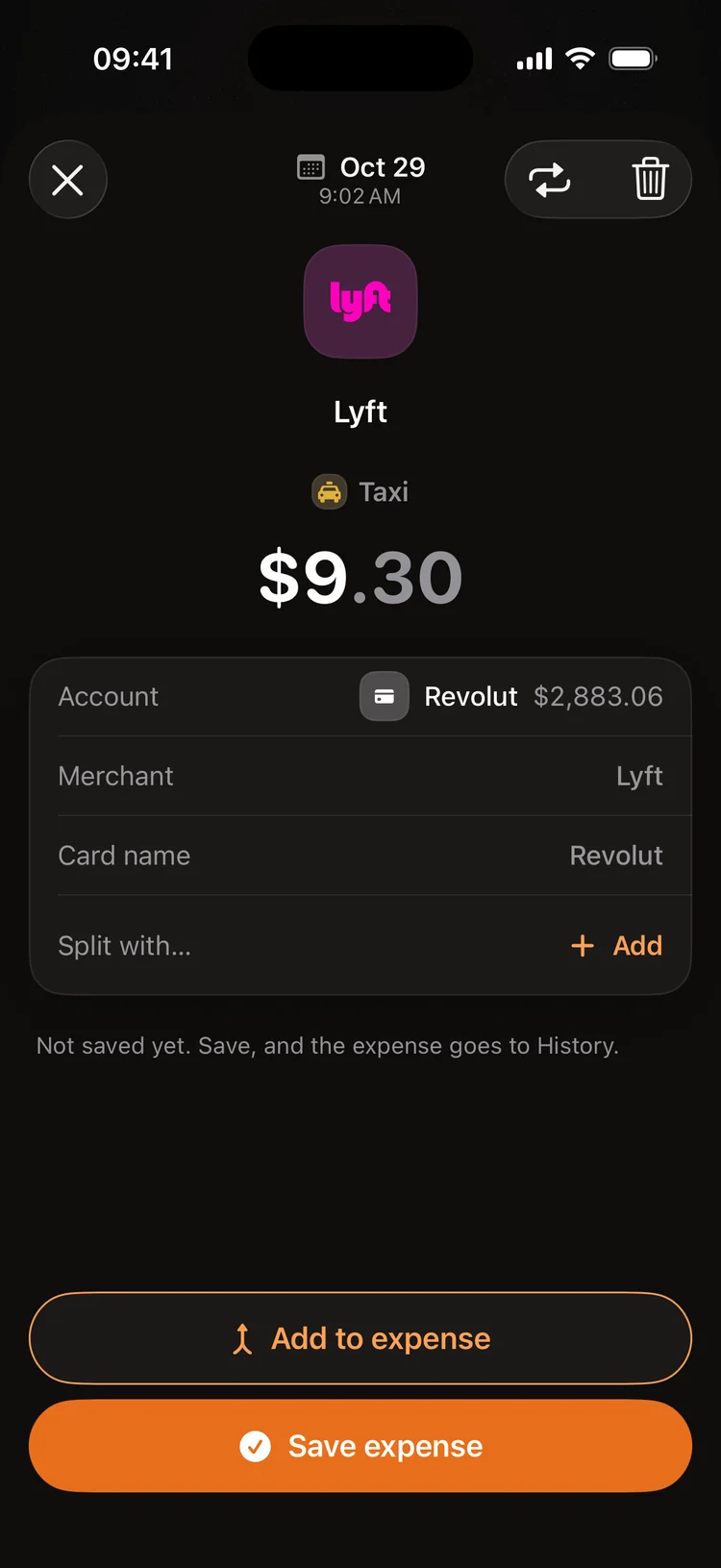
Dibsly catches Apple Pay purchases, bank notifications and receipts by itself but doesn't record them at once: they wait in Activity. The balance changes only after you tap Save. So nothing gets into your books behind your back, and an odd amount or the wrong category shows before it spoils the month.

Where: Main → Activity

More

A brand once, its category for good

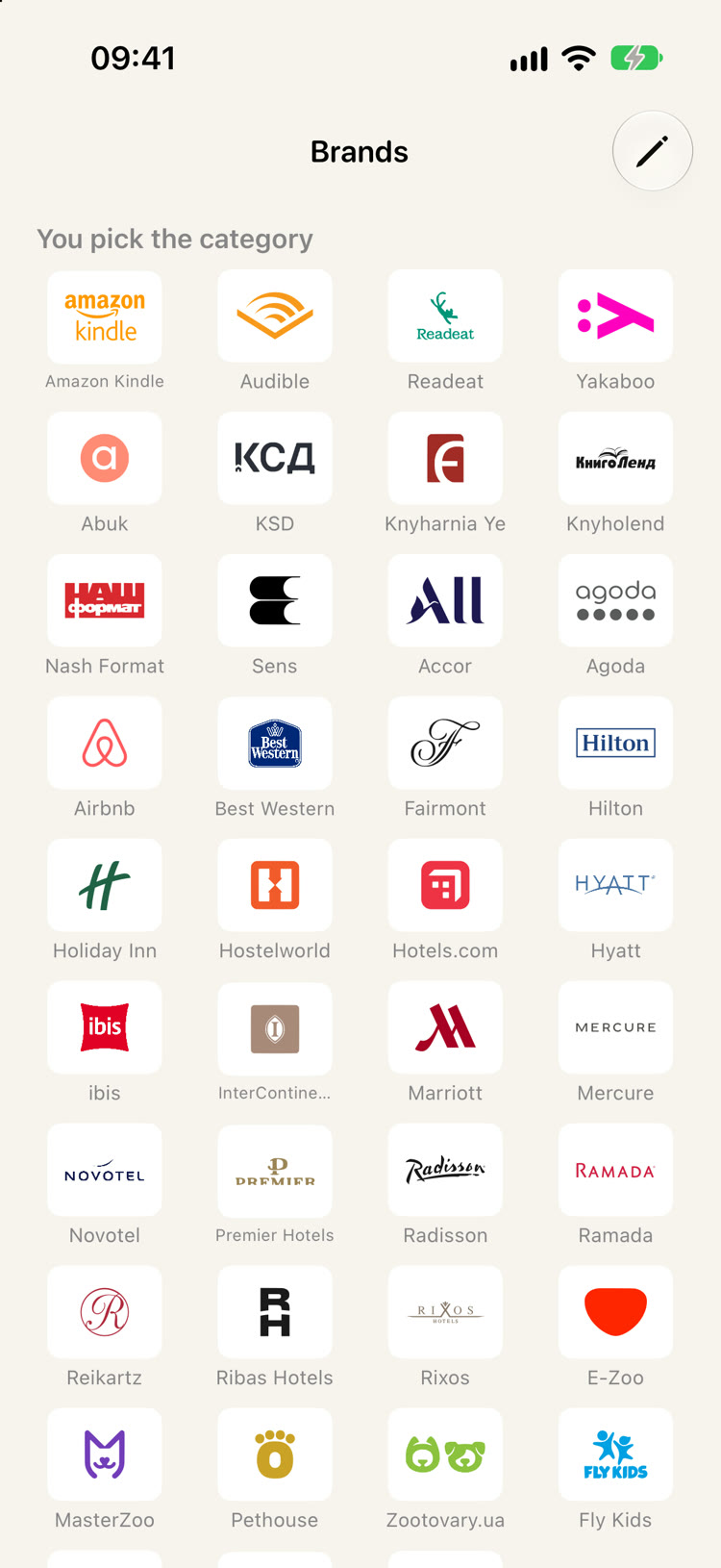
Dibsly knows over 400 brands with their logos. Pick a category for a brand once and all its purchases go there. Buy different things from one brand, like Epicentr for the home one day and a gift the next? Just change the category on the operation: Dibsly remembers and next time offers both. And a category you don't want in your analytics can be hidden: it leaves the Analytics totals and nothing else.

Where: Settings → Brands

More

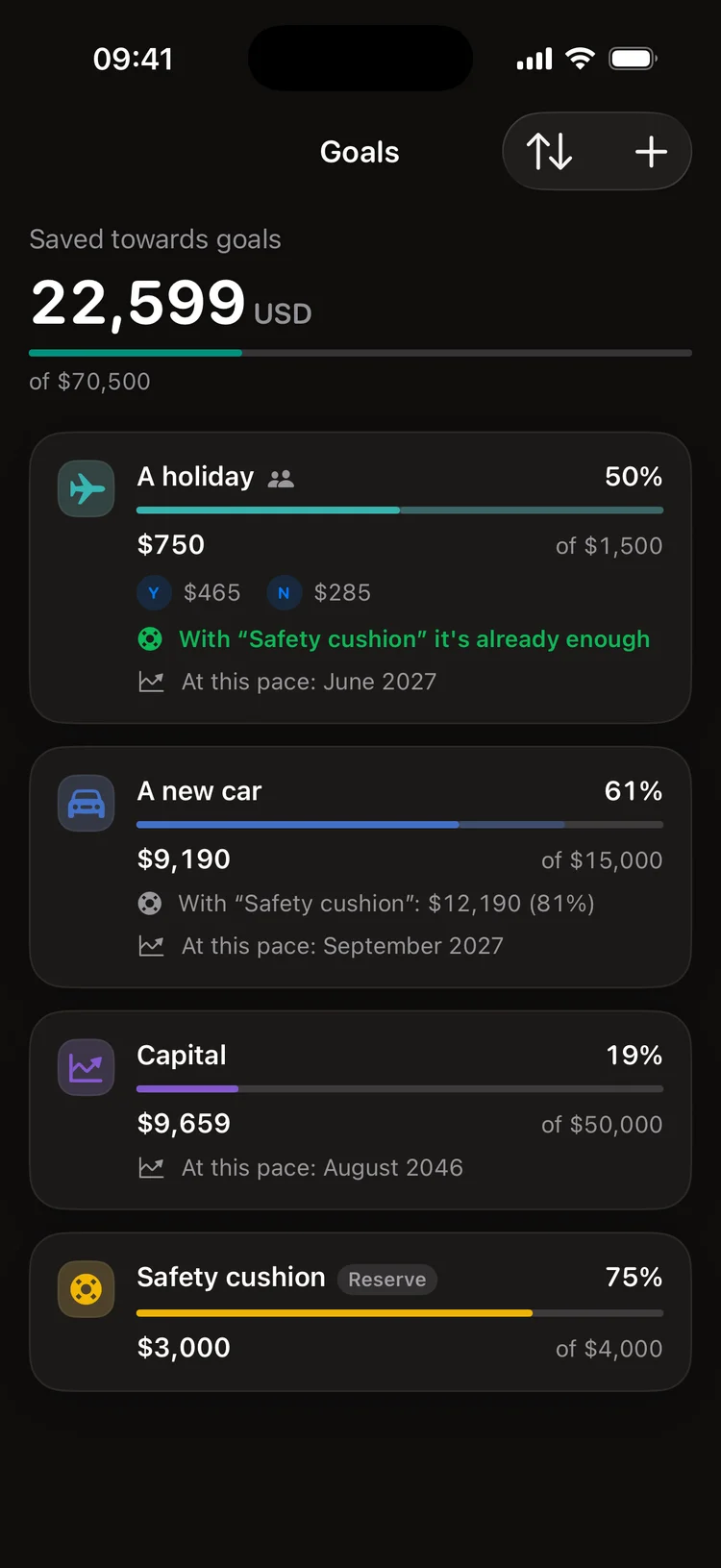
Goals live on savings, not on your card

A goal takes nothing off your accounts: it shows which of your savings and investments work for it. On hand money takes no part: to get closer, you move money to the goal's account. Several goals fill in turn: a reserve such as a cushion first, then in your order. And Dibsly tells you the month you reach each one at your pace.

Where: Main → Goals

More

Goals live on savings, not on your card

A deposit isn't profit

You put $1,000 into your broker account and the portfolio grew by $1,000, but you didn't earn a cent. So Dibsly shows growth apart from deposits: how much you put in and how much the money earned by itself, with dividends and the tax withheld. Capital in Analytics counts the same way.

Where: the Investments tab

More

Put in$10,000
Portfolio$11,200
Earned$1,200

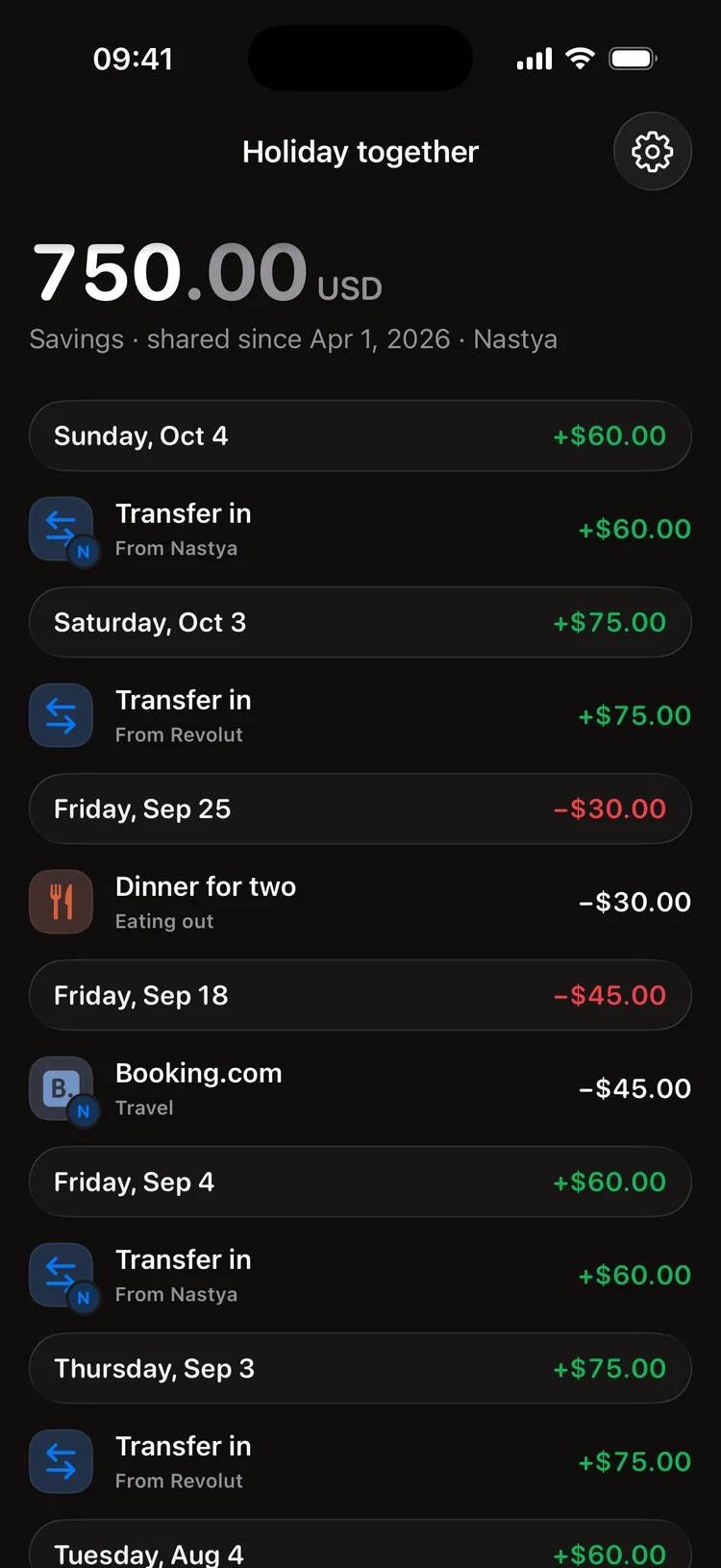
A shared account for two

You share one account, not your whole Dibsly: you both see it, who put in what and who spent what, and a notification comes when the other adds something. Your personal accounts stay yours alone. One Premium is enough for both of you.

Where: Profile → Sharing

More

A shared account for two

Nothing without your yes

The chat with Dibsly, your Claude or ChatGPT first show exactly what will change and write it only after Save or your yes. In the Dibsly chat a button under the card undoes the change. Operations, statements, trades, categories and accounts changed through Claude or ChatGPT are kept in the AI journal on the website, where they can be undone.

More

Accounts

Free

All your accounts together

Cards from different banks, cash, savings and brokerage accounts in any currency. On top, “On hand”: what you can really spend now, without savings and investments.

Where: Main

All your accounts together

Premium

Shared accounts

An account for a couple or a family: who put in what, a notification when the other adds something, shared goals. One Premium is enough for both of you.

Guide

How money gets into Dibsly

Free

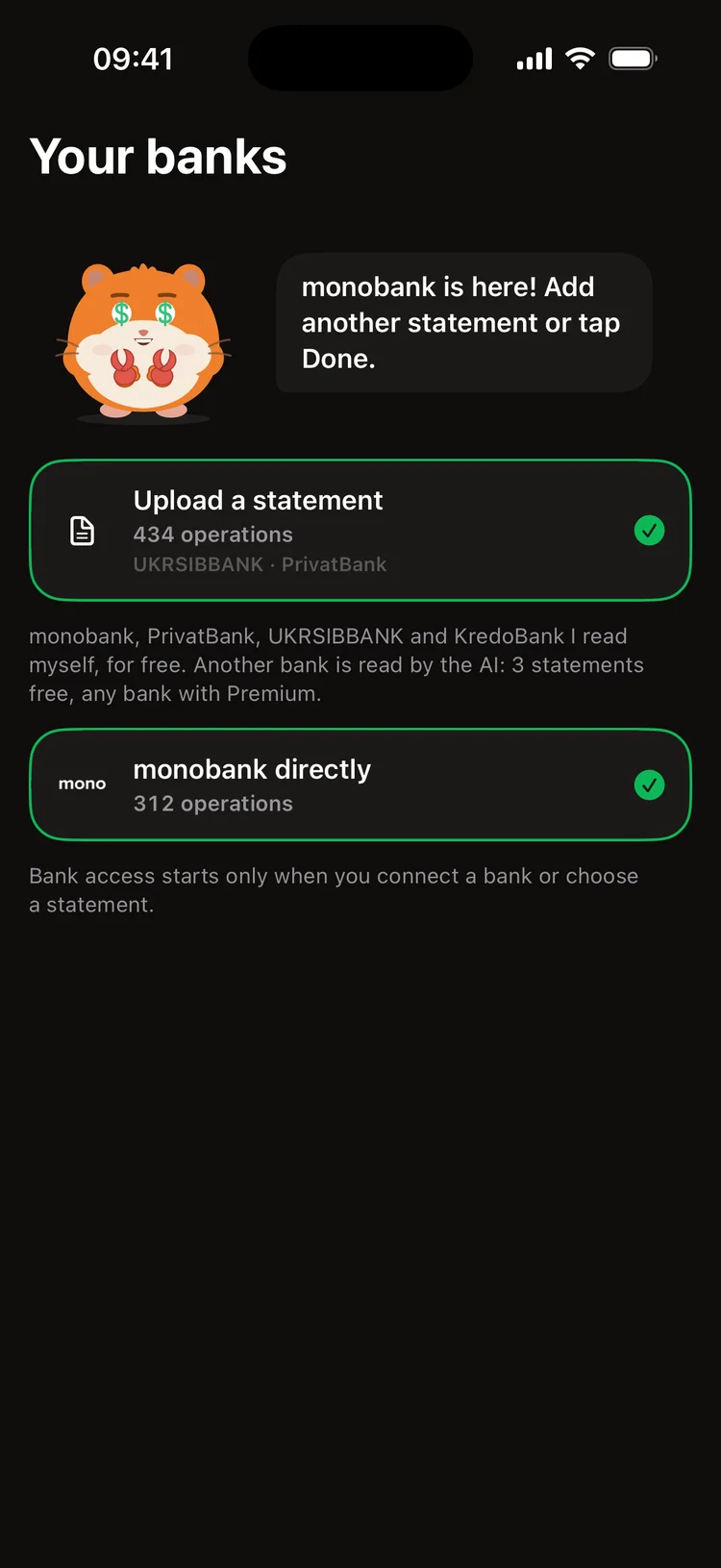
monobank and bank statements

monobank directly with a read-only token. Statements from PrivatBank, UKRSIBBANK, KredoBank and monobank, their FOP statements too, as PDF, Excel or CSV. Dibsly reads the file on your phone, sorts operations into categories and spots transfers between your own accounts.

Where: Settings → Import & export

Guide

monobank and bank statements

Free

Apple Pay records itself

A Shortcuts automation hands every Apple Pay purchase to Dibsly. It waits as a draft with the amount, the shop and the category: look and confirm with one tap.

Where: Main → Activity

Guide

Apple Pay records itself

Premium

Notifications from any bank

On iOS 27 your banking app's notifications become drafts: the AI reads the amount, the shop and the account from them.

Guide

Notifications from any bank

Free

Say it

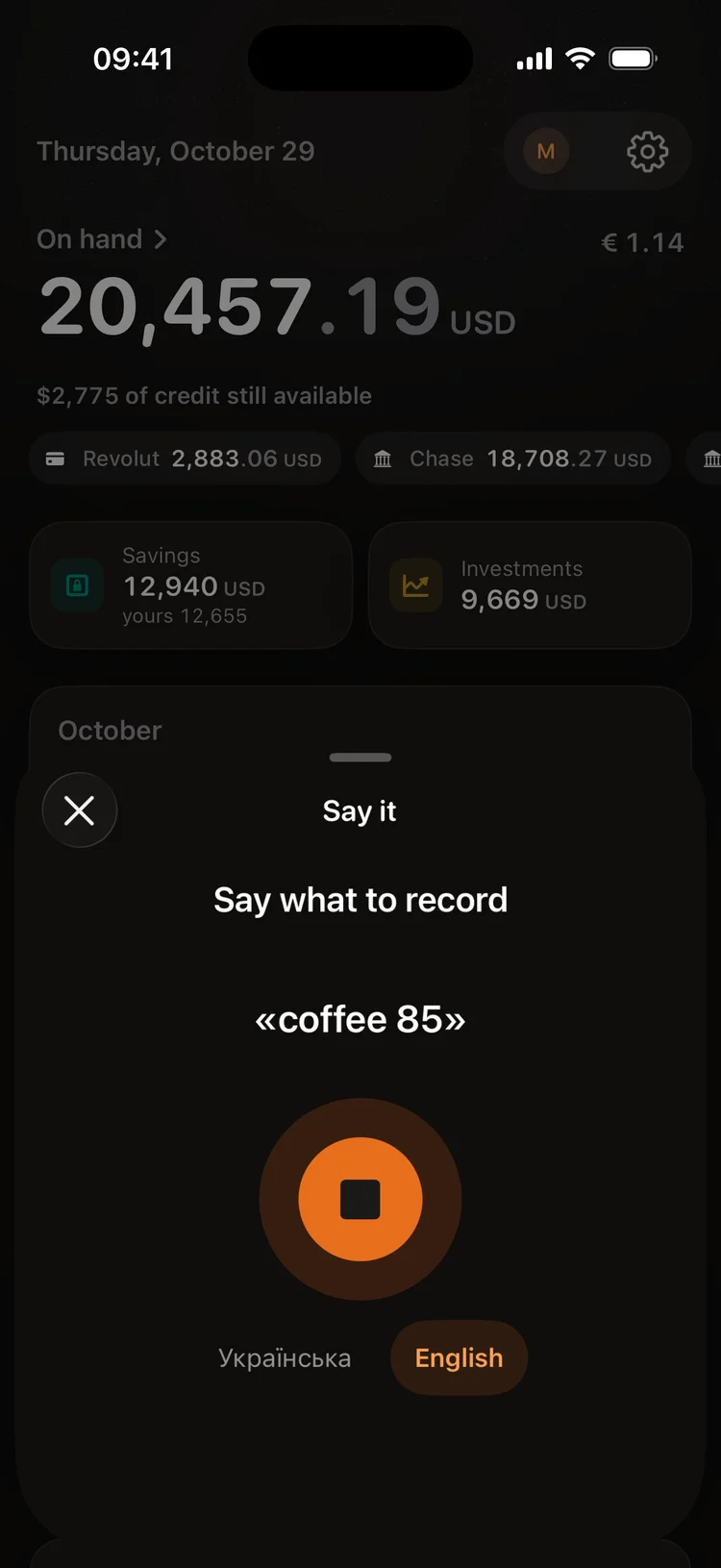
“Coffee 85”, “taxi 180 mono”, “salary 40,000”: Dibsly works out the amount, the category and the account. With Premium the AI handles the tricky phrases.

Where: “+” → Say it

Say it

Free

Receipts and splitting a bill

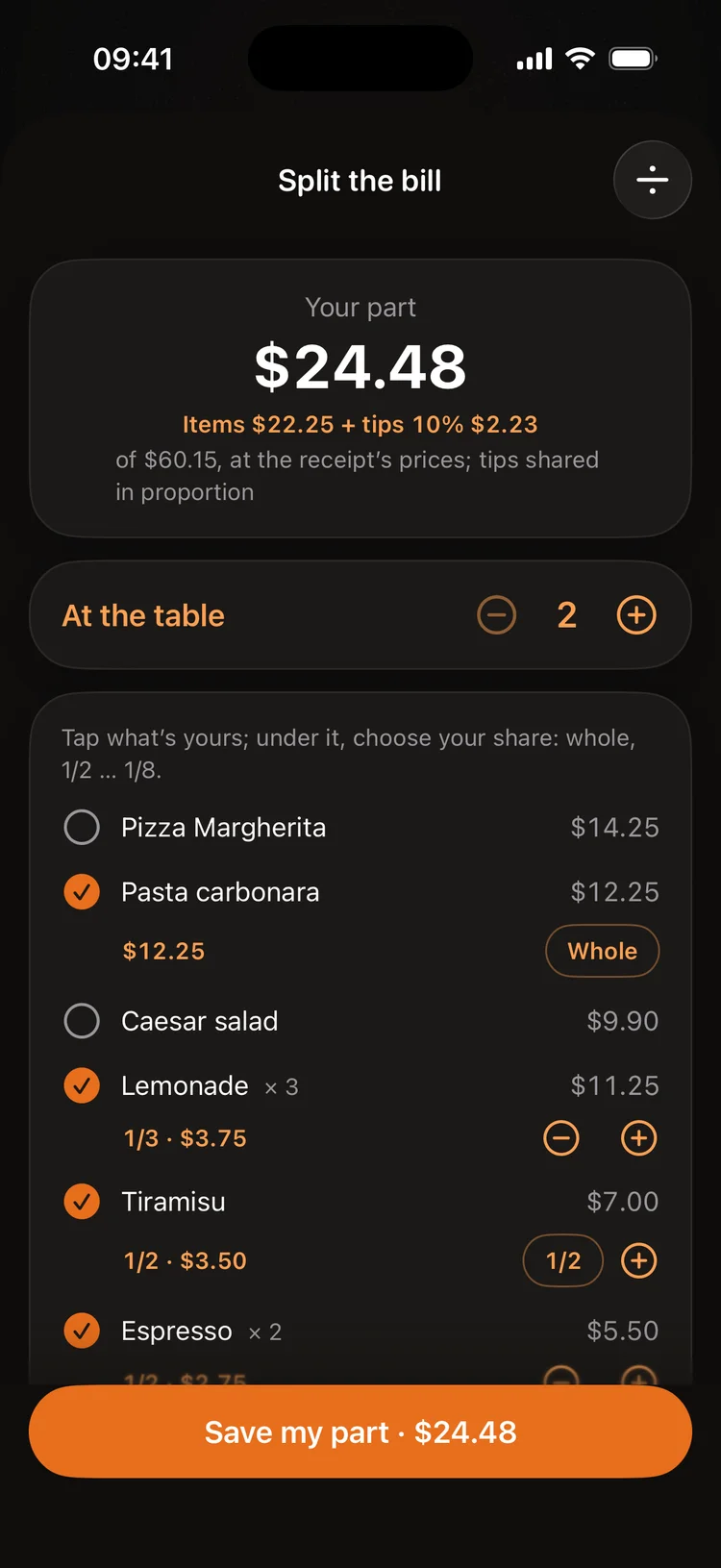
Snap a receipt and Dibsly reads the items and sorts them into categories. Or split the bill: tick your part and send friends a link so each picks theirs. 10 receipts a month free, up to 300 with Premium.

Where: “+” → Receipt

Receipts and splitting a bill

Free

A statement from any bank

A statement from Revolut, Wise or any other bank is read by the AI in Dibsly: you see the operations and the transfers between your accounts and save them once checked. 3 statements in all for free, up to 25 a month with Premium.

Where: Settings → Import & export → Bank statement

Guide

Free

Moving from Monefy

A Monefy CSV export comes over with its categories and accounts. Before saving, Dibsly shows exactly what it will add.

Where: Settings → Import & export

Guide

Chat with Dibsly

Free

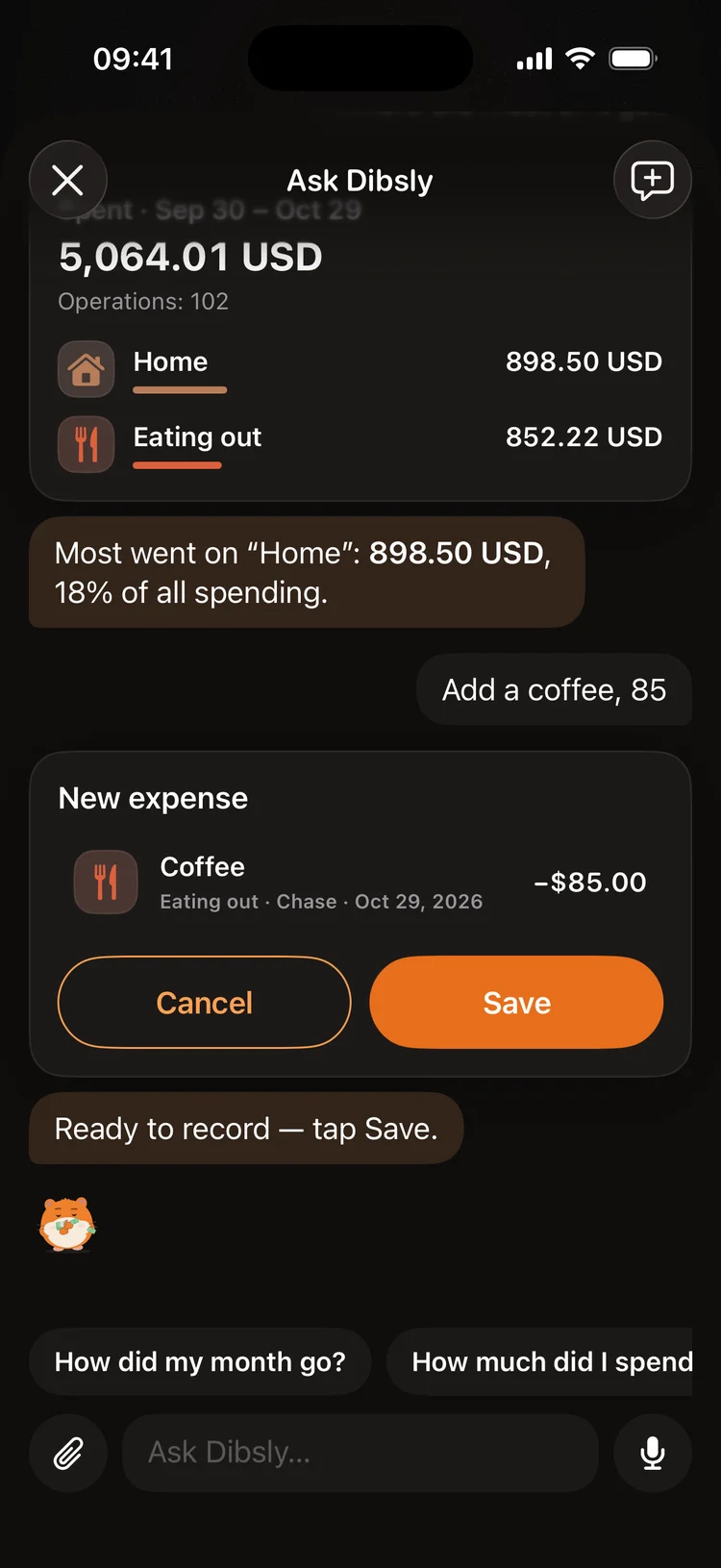
Ask about your money

“What did most of it go on?”, “How much did I spend on taxis this year?”, “How are my goals?”: Dibsly works it out on your phone from your data and answers in your own figures, with cards and charts. 20 questions a month free, more with Premium.

Where: the Dibsly button above “+” on Main

Guide

Ask about your money

Free

Changes only after Save

“Add a coffee, 85”, “move my Uber rides to Taxi”, “rename the account”: Dibsly shows a card with the change and writes it only after you tap Save. Every change can be undone.

Free

A statement right in the chat

Tap the paperclip and pick a statement or a broker report: Dibsly reads it on your phone, without the AI, and offers to import it into the right account.

Where: chat → paperclip

Analytics

Free

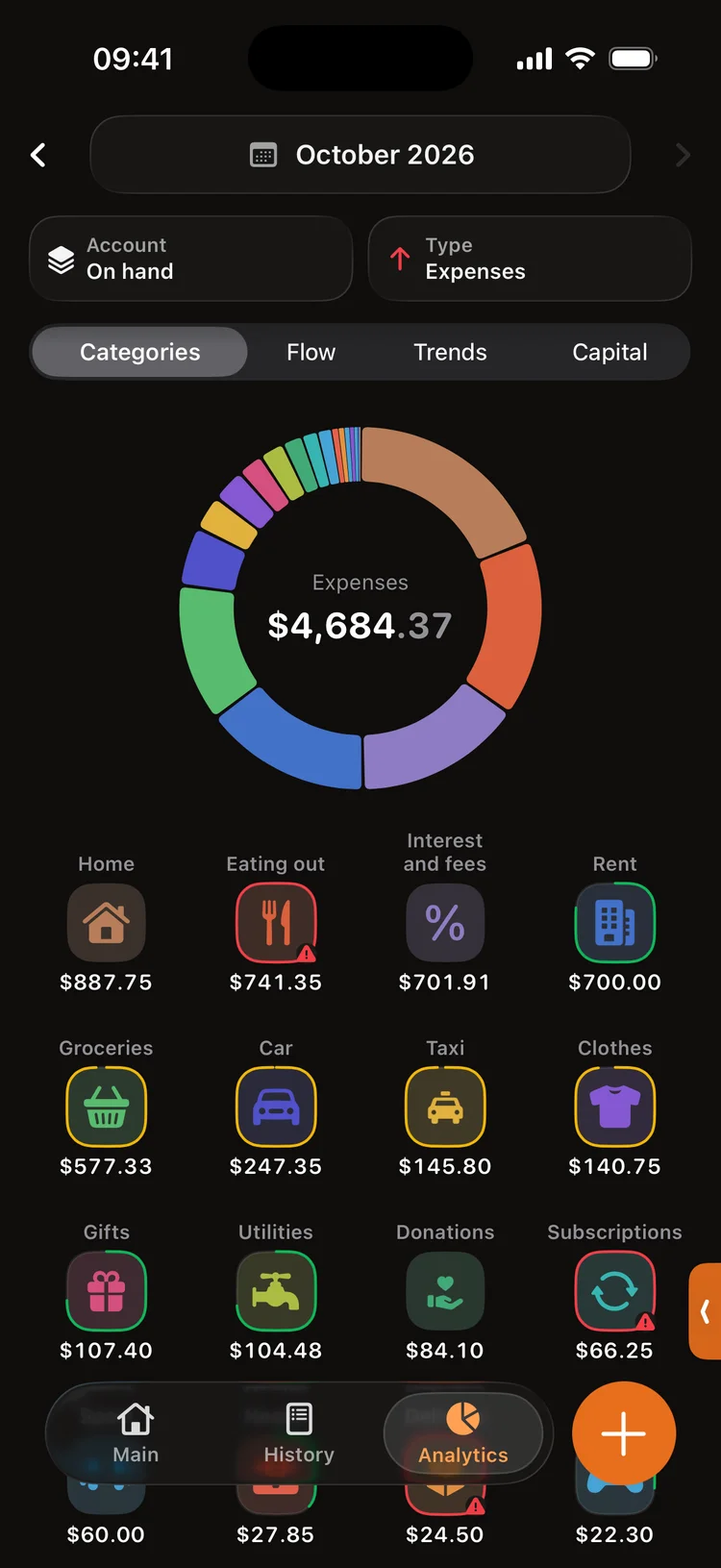
Where the money goes

Categories: where most of it goes and what is over plan. Cash flow: spending day by day with payday marked. Trends: the months side by side. Capital: savings and investments over the year, apart from deposits.

Where: the Analytics tab

Where the money goes
1 / 4

Free

Brands

Over 400 brands with their logos: Dibsly recognises Silpo, OKKO, Uklon or Ryanair by itself. Pick a category for a brand and all its purchases go there.

Guide

Brands

Plan, calendar and goals

Free

Monthly plan

Limits per category and how much is left to spend this month. Dibsly highlights the categories over plan and those at risk.

Where: Main → Plan

Monthly plan

Free

Bill calendar

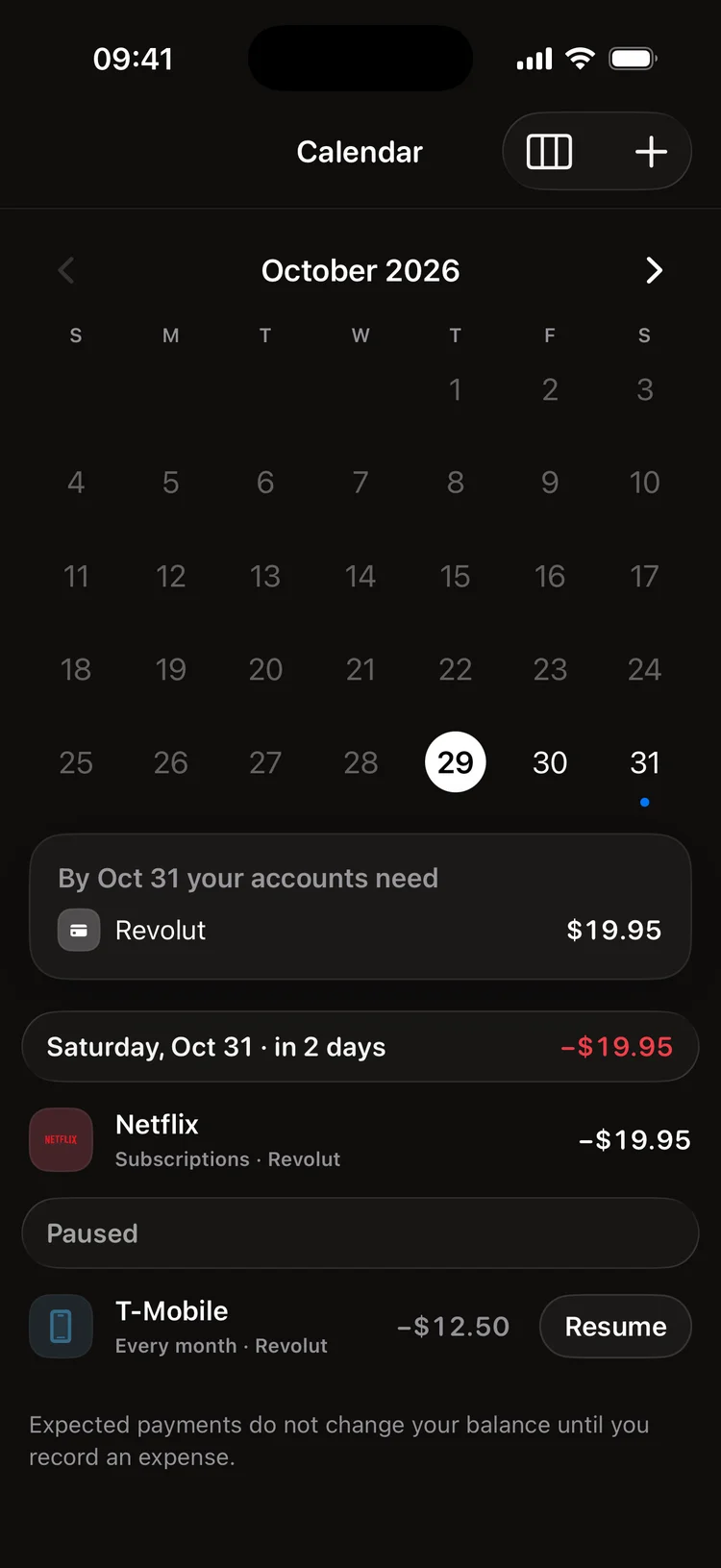
Rent, subscriptions, loans and salary on a calendar. Dibsly tells you how much each account needs before the day it is charged.

Where: Main → Calendar

Bill calendar

Free

Goals

A car, a flat or a safety cushion. Savings and investments count toward the goal, and Dibsly tells you the month you reach it at your pace.

Where: Main → Goals

Goals

Investments

Free

Portfolio and dividends

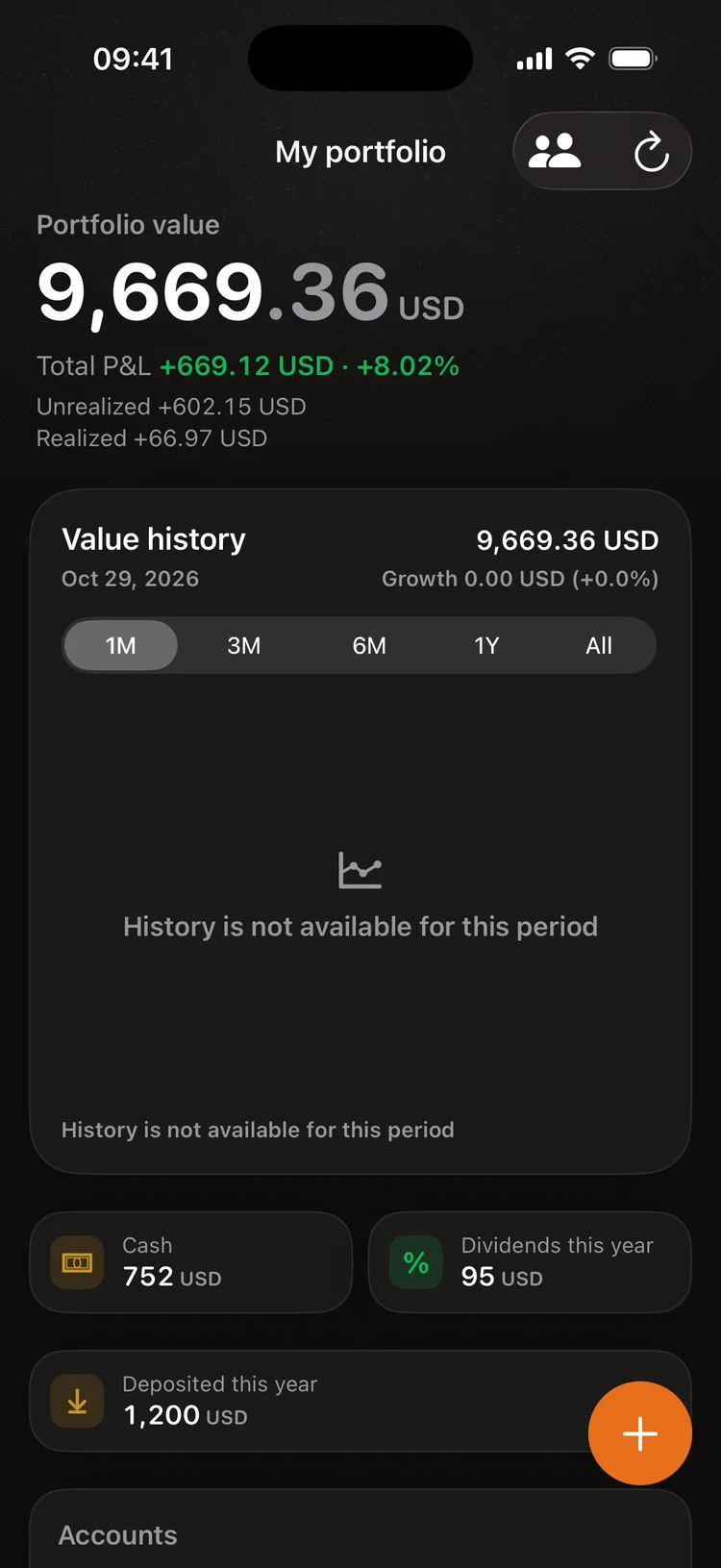
Interactive Brokers and Freedom Finance reports instead of typing. Value history over a month, a year or all time, dividends with the tax withheld, and growth apart from deposits so a deposit never looks like profit.

Where: the Investments tab

Guide

Portfolio and dividends
1 / 2

Everywhere

Premium

my.dibslyapp.com

The same data on a big screen: history with search, analytics, the plan, the calendar and drafts. Changes show up on your phone at once.

Guide

my.dibslyapp.com

Premium

Dibsly in your ChatGPT or Claude

Connect Dibsly as a connector: ask about your money, import statements and set goals right in your assistant. Nothing is written until you say yes, and every change is in a journal where it can be undone.

Guide

Premium

Account and sync

Sign in with Apple, Google or e-mail and your data is the same on all your iPhones and on the website.

Where: Main → profile

Free

Backups

Encrypted backups in your iCloud Drive or Google Drive. A new iPhone or a reinstall: restore everything from a backup.

Where: Settings → Backup

Guide

Privacy

No bank passwords

Dibsly never asks for a password and cannot move money. A monobank token only reads the statement.

AI only with your permission

Before first use Dibsly shows what it sends to the AI and to whom. Without permission everything else works, and you can change your mind in Settings.

No ads

No ads and no ad trackers. Without an account all your data stays on your iPhone and in your own backups.

Privacy policy

What's next

What we're building now and what comes later. No dates promised: we build until it's good. Tap “I want this” on what you need most, and we'll know where to start.

Building now

  • Chat with Dibsly on the website

    Find, count or change something tricky on a big screen.

  • Brands on the website

    Every brand with its logo and category, with search.

Next

  • Undo for plans, the calendar and goals

    As it already works for operations: changed through the AI, changed your mind, undone.

  • monobank in one tap

    Connecting without a token copied by hand.

Later

  • Sole traders (ФОП)

    Foreign-currency income at the NBU rate, the single tax and the military levy, quarterly deadlines.

  • iPad and Mac

  • Android

Thinking about

  • Shared plans for two

  • Broker accounts directly

    Interactive Brokers and Freedom without reports by hand.

  • More banks

  • “Guess the brand”

    A game: tell the brand by its logo.

What are you missing?

Tell us, and we'll think about how to make it great.

Only the Dibsly team sees the text and the e-mail. Privacy